Shapez.io
By tobspr Games
Advertisement
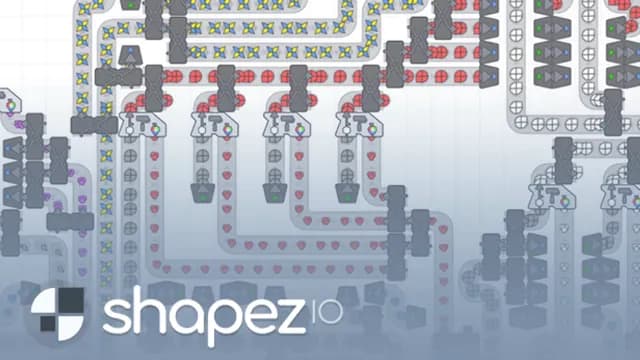
Shapez.io turns an empty grid into a shape factory. You place extractors on circle, square and coloured deposits, link them to the central hub with conveyor belts, and deliver the shapes each level asks for — the first one wants ten circles to unlock cutting. New buildings keep arriving, so every delivery target becomes a layout puzzle. Made by tobspr Games, it runs free in your browser with no download.
Game info
- Developer
- tobspr Games
- Rating
- Not yet rated
- Release date
- May 21, 2020
- Last updated
- Nov 15, 2026
- Technology
- HTML5
- Platforms
- Web Browser (Desktop)
Controls
- W/A/S/D — move the map
- Shift — move the map faster
- Space — centre the map
- + / - — zoom in and out
- 1–0 — select buildings (1 belt, 2 balancer, 3 tunnel, 4 extractor, 5 cutter, 6 rotator, 7 stacker, 8 mixer, 9 painter, 0 trash)
- Left mouse button — place the selected building
- R — rotate while placing (Shift+R rotates the other way)
- Arrow keys — rotate a building to face a direction
- T — cycle building variants
- Tab — cycle through buildings
- Q — pipette (pick the building under the cursor)
- Hold Ctrl — mass select an area
- C — copy, X — cut, V — paste the last blueprint
- Delete — delete the selection, B — clear the selection
- F — upgrades and shop menu
- G — statistics
- E — switch layers (wires)
- M — place a map marker
- Esc — back
- R — toggle belt planner direction; hold Ctrl to drag belts without auto-orientation
Advertisement
Related Games







How to Play Shapez.io
Each level shows its request on the hub in the middle of the map: a shape and a counter like 0/10. Pick the extractor from the building bar, drop it on a patch of matching shapes, then draw a belt line from it back to the hub. The tutorial walks the first build step by step, highlighting the deposit and the building to place.
Finishing a delivery goal unlocks the next machine. Cutting shapes comes first, and later buildings — rotators, stackers, mixers, painters, balancers and tunnels — let you split lines, turn pieces, combine halves and colour them so you can hand in far more complicated shapes.
There are no enemies, no timers and no resource limits, and the map goes on forever, so the pressure is purely about throughput: widen belts, remove bottlenecks and expand until the factory keeps the hub fed without you.
Tips
- Place the extractor directly on top of a resource patch — it only produces where the shapes are on the ground.
- Use Q to pipette a building you already placed instead of hunting for it in the bar.
- Hold Ctrl to mass select, then copy and paste a working section rather than rebuilding it by hand.
- Press F for the upgrades menu; speeding up belts and extractors fixes bottlenecks faster than adding more machines.
- Check G for statistics to see which shape your factory is short on before expanding.
- The map is endless and nothing attacks you, so leave wide gaps between production lines for later belts and tunnels.
What the Browser Demo Includes
- Automation sandbox with no enemies, no timers and no resource limits on an infinite map
- Extractors, belts, balancers, tunnels, cutters, rotators, stackers, mixers, painters and trash
- Level goals delivered to the central hub, each unlocking a new building
- Blueprint copy, cut and paste plus mass selection for duplicating factory sections
- Statistics screen and an upgrades shop for improving production speed
- Demo limits: one savegame, no savegame import or restore, no custom keybindings, no base image export, and up to two map markers
Frequently Asked Questions
Is Shapez.io free to play?
Yes, the browser version is free and needs no download — open it and press Play to start a new factory.
Can I play Shapez.io on my phone?
No, this version is listed for desktop only and uses a landscape layout with keyboard shortcuts and mouse placement.
Who made Shapez.io?
It was developed by tobspr Games and released in 2020 as an HTML5 game.
Does my factory save?
The browser demo keeps one savegame, which it looks for on the main menu. Importing or restoring savegames is not available in this version.
Are there enemies or time limits?
No. There are no enemies, no timers and no resource limits, so you can plan and rebuild your layout at your own pace.